Blur,
PIN
 Lock &
Organise
Lock &
Organise
Blur messages, names, photos and previews when someone is near your screen, and lock WhatsApp Web with a PIN.
Direct Full Edition download: manual Chrome Developer Mode installation. Blur, lock and screen privacy are free from the first install; WASecret Pro tools are free for 3 days with a trial key (no card needed), then need a recurring $5/month WASecret license that covers one active laptop. WASecret is the seller.
Verify before installing: SHA-256 · release manifest
Sell, work as a team and sound like anyone.
Six tools in the Full Edition download, all part of WASecret Pro.
An AI that sells for you on WhatsApp.
The AI Sales Agent answers on your WhatsApp Business number through Meta's official platform, so it keeps working with Chrome closed. It says it is an AI, uses only your product facts and prices, sends your checkout link, follows up a set number of times and hands the chat to you when needed. “STOP” ends all messages.
Meet Maria, a new voice.
Record a voice note and WASecret converts it into Maria's voice before you send it, or choose her on a live call. She joins Mari, Arslan, Jeb, Om, New Girl and YouTube in the voice changer.
Work as a team on WhatsApp.
Shared leads with roles and invite codes, handover between staff, shared replies, smart links, keyword alerts and a team dashboard.
Campaigns to your own customer list.
Load your customers from Excel, add a photo or file, and send your message to the list. Pause and resume any time and get a report for every recipient. Send only to people who agreed to hear from you.
Answer even when you are away.
An away message that replies by itself, to everyone or only to the chats you choose, once per chat or to every new message.
Masks and voice effects in video calls.
Add looks and masks to WhatsApp Web video calls — dog, cat, crown, neon and more — and change your voice with robot, helium, echo and other sound effects.
Keep WhatsApp Web private and organised on your own computer: blur and PIN-lock chats, plus reminders, quick replies, translation and export for the chats you have open.
Everything you need to stay private, and get more done.
Instant hide, idle auto-blur, screen-sharing mode and switches for read receipts, typing and online presence in this browser session.
See the tools ↓Reveal
Tap to tryInstant hide
A floating button, auto-blur when idle, and auto-lock with a PIN.
Reminders & tasks
↗Date and time, repeat, and "keep reminding me until I press OK".
Translate messages
100 languagesTranslation uses the authenticated WASecret service with OpenAI; the extension contains no provider key and preserves your original text if the service is unavailable.
Audio Video Call Recording & live Real Human Voice Changer
Recorded neural conversion offers WASecret Cloud or a Local option that downloads verified model data once and then works offline. Cloud audio and converted output are deleted after the request. Live-call voice effects always run locally in Chrome and continue when WASecret is offline.
Deleted for everyone? Not for you.
Keeps a private copy when someone deletes a message or photo for everyone. Stored only in this browser, and saved to your Downloads folder if you want.
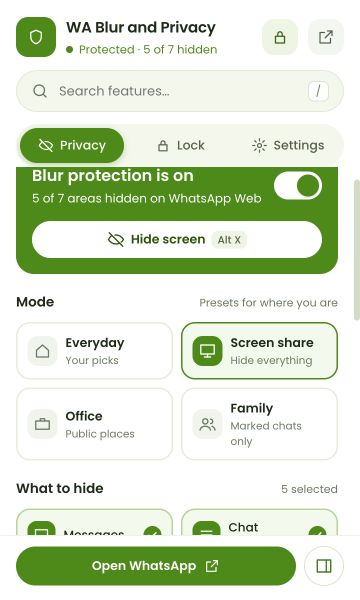
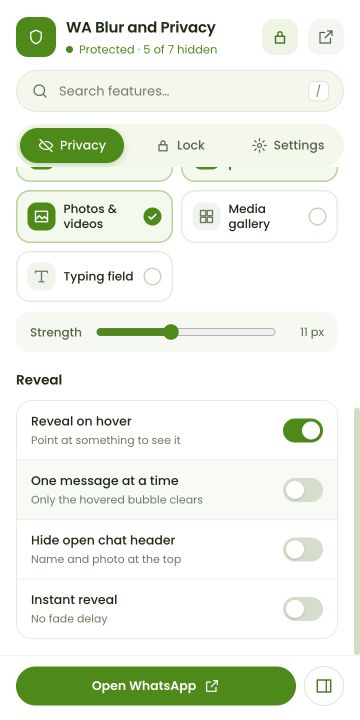
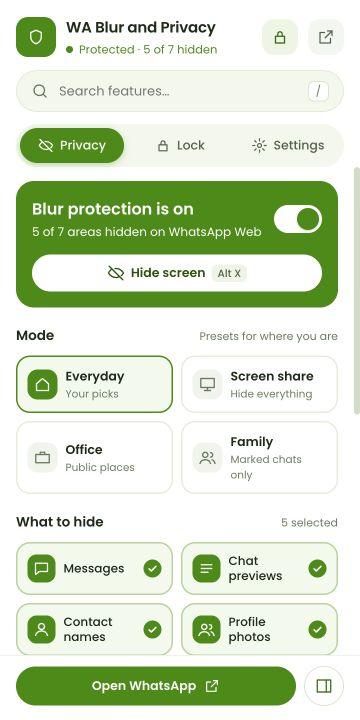
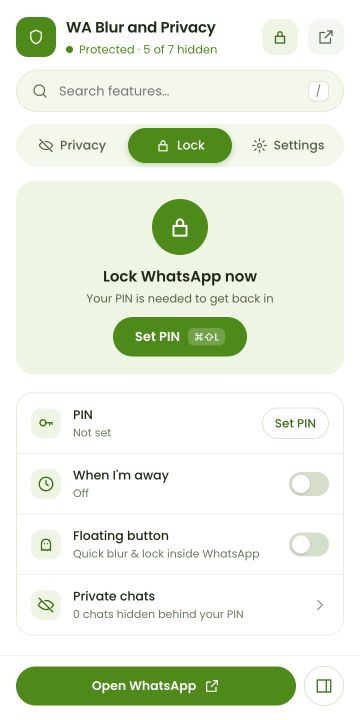
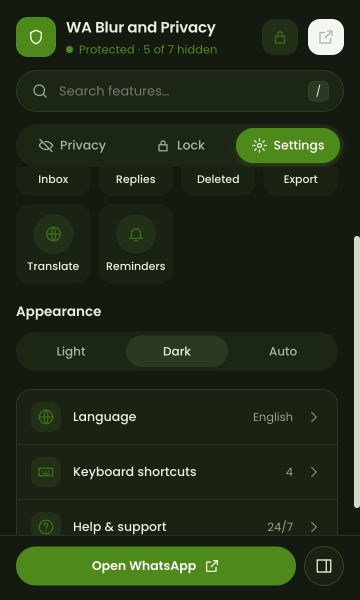
Take the tour, screen by screen.
{{ featTitle }}
{{ featDesc }}
Set up in under a minute.
Five short steps after you install. Nothing is set up until you agree to how your data is used.
Built so your chats stay on your computer.
All code is bundled
All libraries are bundled; the extension downloads and runs no code from a remote server.
Optional encryption
Encrypt your notes, templates, reminders and saved history on this device with a passphrase.
Your key, your call
Only text or short audio you explicitly ask to translate or transcribe is sent to WASecret and OpenAI.
Never sends for you
Reminders notify you; the extension never sends a message by itself.
Three toolkits that work together.
Privacy
Alt XFor when someone is near your screen.
Productivity
Alt STools for the chats you have open, in a side panel.
Questions, answered.
Your chats
stay yours.
Blur, lock and organise WhatsApp Web. Download the ZIP, extract it, load the folder at chrome://extensions: blur, lock and screen privacy work right away. For Pro tools, choose Upgrade to Pro, start the free 3-day trial or subscribe, then paste the emailed license key.
Screen hidden
Press Alt + X or click anywhere to reveal